Free Online Photo Editor – Edit Images Instantly in Your Browser
Free Photo Editing Without Installing Software
Welcome to our free online photo editor, a simple and powerful tool that lets you edit images directly in your browser. You don’t need to download or install any software. Just upload your image and start editing instantly.
Our online editor is designed for everyone — beginners, students, designers, and anyone who wants to improve photos quickly. Whether you want to crop a picture, adjust colors, resize images, or apply creative filters, our tool makes photo editing fast and easy.
Easy and Powerful Image Editing Tools
Our browser-based editor includes many useful features that help you improve your photos in seconds.
Crop and Resize Images
You can easily crop unwanted areas and resize images to the exact dimensions you need. This is perfect for social media posts, website images, or profile pictures.
Apply Filters and Effects
Enhance your photos with beautiful filters and effects. Add brightness, contrast, saturation, and other adjustments to make your images look more professional.
Rotate and Flip Photos
Quickly rotate images or flip them horizontally and vertically. This is useful when correcting image orientation or creating creative effects.
Adjust Colors and Lighting
Improve image quality by adjusting brightness, contrast, shadows, and highlights. These tools help bring out the best details in your photos.
Remove Backgrounds
With our smart editing tools, you can remove backgrounds and focus on the main subject of your image.
Works on Any Device
Our online photo editor works on all modern devices and browsers. You can edit photos on:
- Desktop computers
- Laptops
- Tablets
- Mobile phones
Because everything works inside your browser, you can edit images anywhere without installing apps.
Fast and Simple Photo Editing
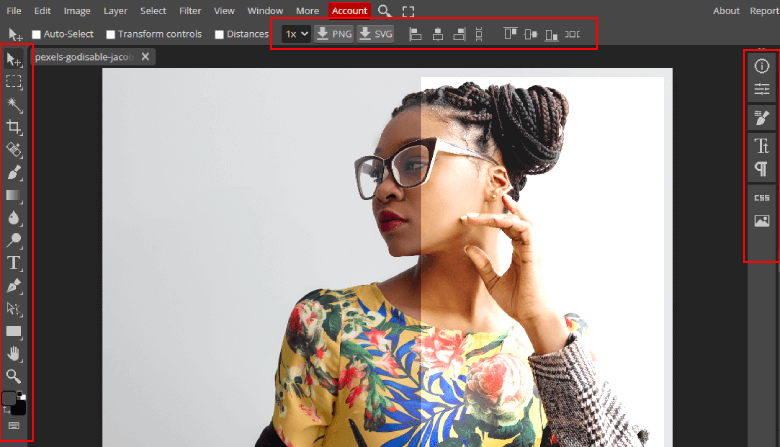
We designed this tool to be simple and user-friendly. The interface is clean and easy to understand, so you can start editing immediately even if you have never used a photo editor before.
Just follow three simple steps:
- Upload your image
- Edit using the available tools
- Download your finished photo
Why Use Our Online Photo Editor
- Free to use
- No downloads required
- Fast browser-based editing
- Easy interface for beginners
- Powerful editing tools
- Works on all devices
This makes it one of the easiest ways to edit photos online.
Start Editing Your Photos Now
If you need a quick and reliable way to edit images online, our free photo editor is the perfect solution. Upload your image and start editing instantly. Improve your photos, create beautiful visuals, and download your finished images in seconds.